 PRODUCT DEVELOPMENT GUIDE
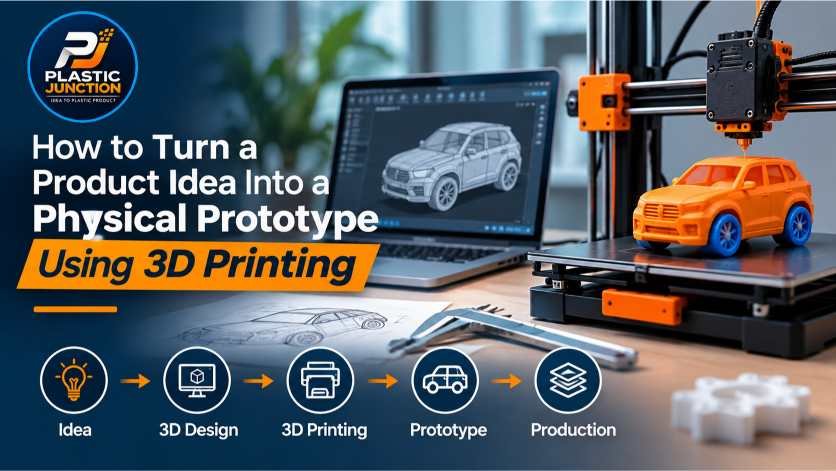
How to Turn a Product Idea Into a Physical Prototype Using 3D Printing
Have a product idea but don't know how to bring it to life? Discover how 3D printing can help you transform a concept into a physical prototype, test its functionality, and prepare it for manufacturing.
1 Define Your Product Idea
Start by clearly defining the problem your product will solve. Identify the target user, key features, approximate dimensions, and how the product will be used.
A simple sketch can help communicate your idea before creating a digital design. Consider the product's shape, moving parts, assembly requirements, and expected working conditions.
2 Create a 3D CAD Model
Once the idea is clear, convert your sketch into a 3D computer-aided design (CAD) model. The model defines the product's dimensions, geometry, assembly features, and other design details.
CAD software allows designers to adjust dimensions, check clearances, and prepare a model for 3D printing. For plastic products, wall thickness, snap-fit features, and part orientation should be considered during the design stage.
Need help with the design stage? Explore product design and reverse engineering services to develop your concept into a usable digital model.
3 Select the Right 3D Printing Material
The material depends on what you need to evaluate. Some prototypes are made to check shape and appearance, while others need to withstand handling, movement, or basic functional testing.
PLA
Often suitable for visual models, concept validation, and basic shape testing. It may not be ideal for high-temperature or demanding functional applications.
ABS
Useful for selected functional prototypes that need toughness and better heat resistance than PLA. Printing requirements should be considered.
PETG
A practical option for many prototypes requiring a balance of toughness, durability, and ease of printing.
Resin
Can provide fine details and smooth surface finishes, making it useful for detailed visual models and selected design-validation applications.
Always select the material based on the prototype's intended use, required strength, surface finish, temperature exposure, and testing conditions.
4 Print Your Physical Prototype
After preparing the CAD model, export it in a compatible format such as STL or 3MF, then prepare it using slicing software. The slicing process converts the model into instructions for the 3D printer.
Important settings include:
- Layer height and print resolution
- Infill percentage and internal structure
- Wall thickness and shell count
- Support structures and print orientation
- Printing speed and material temperature
These settings affect the prototype's appearance, strength, printing time, and cost. After printing, remove supports and complete any required finishing before evaluation.
5 Test, Evaluate, and Improve
A prototype helps you identify design issues before committing to production. Check the model against your original requirements and record any changes needed.
- Verify dimensions and overall fit.
- Check assembly and moving components.
- Evaluate grip, ergonomics, and ease of use.
- Identify weak areas or unwanted interference.
- Collect user feedback where appropriate.
- Update the CAD model and print another version if required.
Several iterations may be necessary. Making changes digitally and printing an updated version can be more practical than committing to tooling before the design is validated.
6 Move From Prototype to Manufacturing
Once the design has been validated, assess how the product will be manufactured at the required quantity and cost. The best production method depends on the product's geometry, material, expected demand, finish, and quality requirements.
For many plastic products, injection moulding may be suitable for higher-volume production. However, mould design, tooling costs, tolerances, and manufacturability should be reviewed before proceeding.
Plastic Junction can help you explore the next steps through product development and manufacturing-related services:
Conclusion
3D printing makes it easier to move from an idea to a physical prototype, test important features, and improve a design before larger manufacturing investments. By combining CAD design, material selection, iterative testing, and manufacturing planning, businesses can make better-informed product development decisions.
Whether you're a startup, product designer, engineer, or manufacturer, a well-planned prototype can be a valuable step toward bringing your product idea to market.
Talk to Our Team
Have a product idea? Let's discuss product design, 3D printing, prototyping, and your next manufacturing steps.
Share Your Thoughts
Have a question, suggestion, or experience to share? Leave a comment and join the conversation with the Plastic Junction community.